Live events keep growing, operations teams stay the same size
Live sports is where a streaming service earns the trust of its audience. Everyone watches the same moment at the same time, and any problem on air reaches viewers right away. Every issue has to be solved while the event is still live.
Each live event needs someone watching quality, and each incident needs someone looking for the cause. When the calendar grows faster than the team, adding people for every new event makes operating costs grow at the same pace as the calendar.
Finding the cause adds pressure. The data usually lives in several tools: quality analytics in one place, CDN logs in another, the video pipeline in a third. Lining them up by hand takes time the team does not have during a live game.
An agent with the right context connects what operations keeps apart
The difference is an AI agent with the right context. That context is which CDNs are in use, the load configured on each one, how many viewers are expected and in which regions, and the metrics of every system involved. The agent puts together pieces that sit apart in day-to-day operations.
With that context, the team asks the agent about an alert and gets a first diagnosis in about a minute: which devices, which CDN, which country or network, and which recent change lines up with the drop. The engineer starts from an explanation instead of opening other tools to build one, so the team reaches a conclusion sooner.
At Qualabs we build this around three ideas:
- Context first. The agent reads quality, CDN, pipeline and event data together, and checks how a drop is distributed across them.
- Questions in plain language. The operator asks in their own words and gets an answer backed by data.
- People make the call. The agent proposes and the engineer decides, and every answer shows the evidence behind it so anyone on the team can review the reasoning.
Two live games, one quality drop, one clear cause
Our team works with the live operations of a large US streamer. The goal from the start was to grow operational capacity while keeping the team the same size, so we built an AI copilot on top of the quality analytics the streamer already used.
During two live games, the service quality index turned red. The agent analyzed how the drop was distributed and found it concentrated on devices running one mobile operating system. It then linked that pattern to a recent app release.
That kind of cause usually takes the longest to find. The CDN looks healthy, the video pipeline looks healthy, and the team spends time ruling out the usual suspects. This time the team asked the agent and had the diagnosis during the games themselves. The engineer on duty moved straight to confirming the cause, and our team shared it with the client’s quality team on the first day of the release.
A drop after the event ended, ruled out without an investigation
Not every red index is an incident. In another case, the service quality index dropped after the event had already ended. Players left open on the stream kept reloading it, and once an event ends, its quality metrics become noisy.
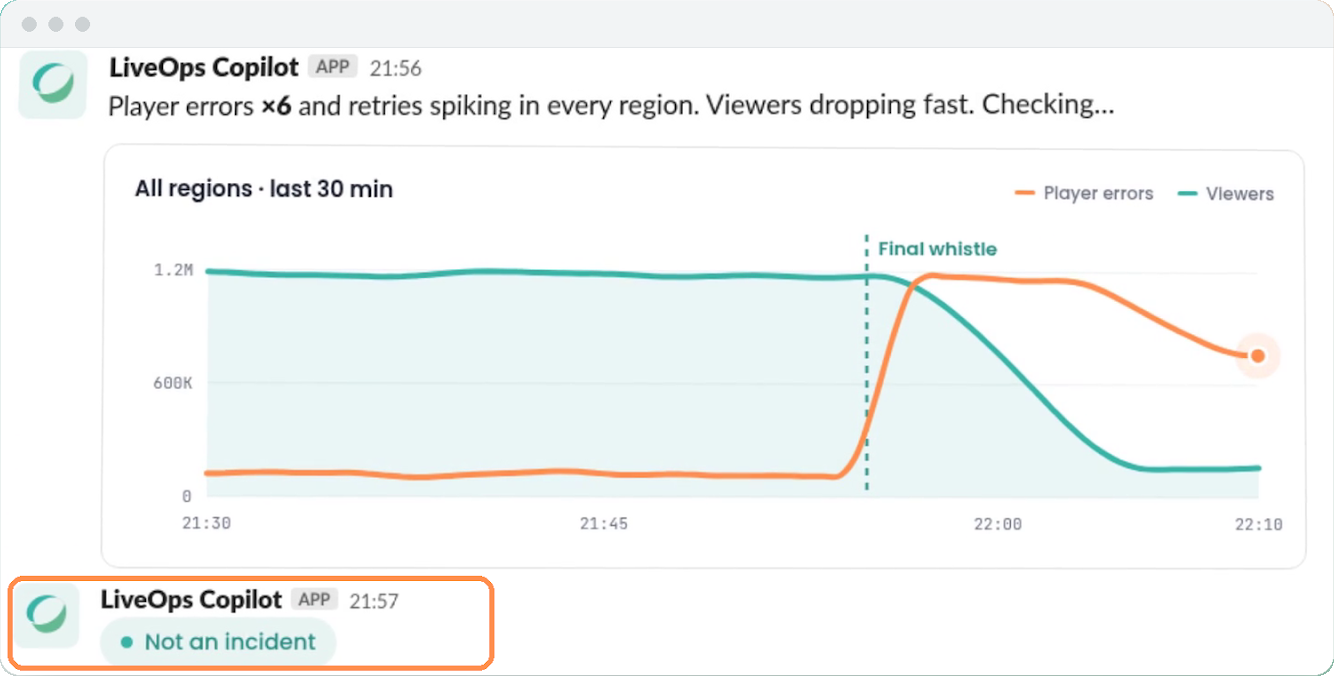
The agent explained the drop as end-of-event noise. The team ruled it out as a false positive, and nobody had to investigate it.
What the operations team gains
| Area | Before | After |
|---|---|---|
| Watching several live games at once | A person watches dashboards for each game | The agent watches in the background and flags quality drops |
| Finding the cause | Several tools, compared by hand | The agent looks across the data sources, without opening other tools |
| Time to a conclusion | Engineers line up the data by hand during the live game | A first diagnosis in about a minute when the team asks |
| False positives | Each drop needs someone looking for the cause | On the first weekend in the team’s channel, the 3 alerts that opened were end-of-event noise, and the agent explained them that way |
| Asking about the data | The answer is spread across several tools | The operator asks in plain language; the agent writes the queries and charts the results on the spot |
| Knowledge from past incidents | Held by the people who solved them | Written down as a troubleshooting guide for each alarm |
Alerts reach the team’s chat, and a diagnosis is one question away
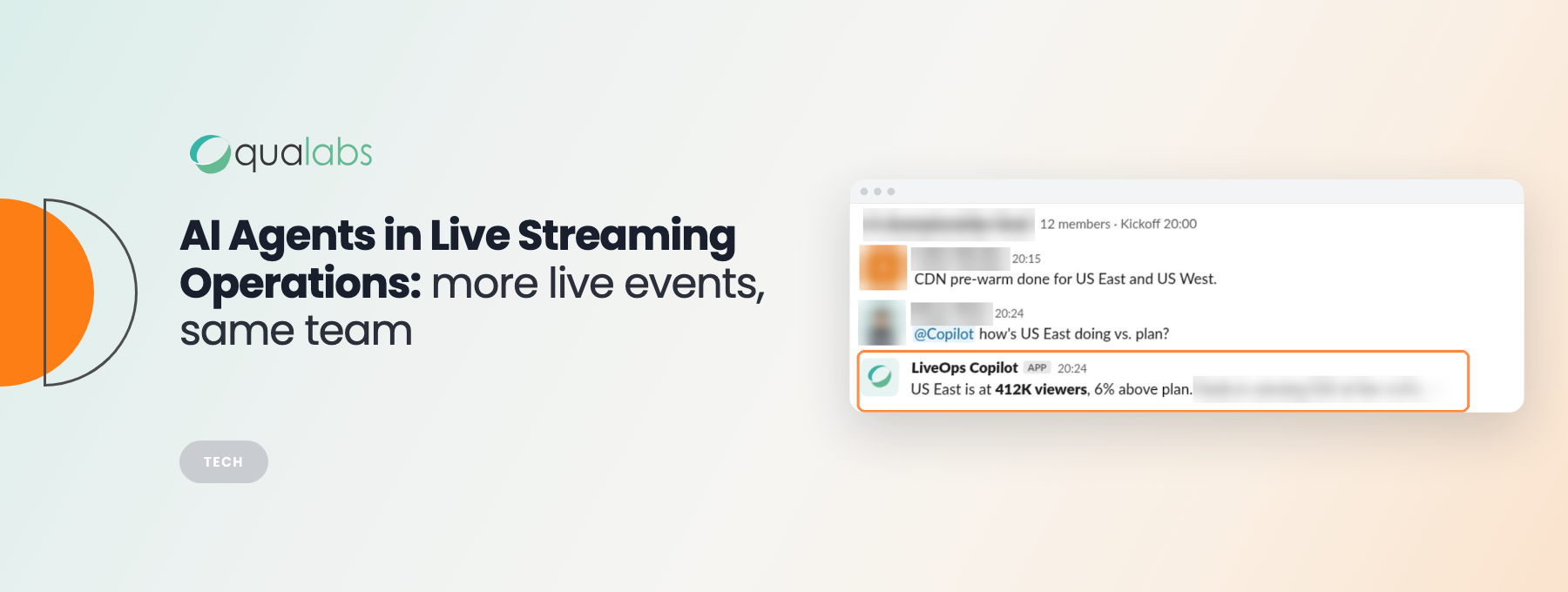
Quality alarms go straight to the agent and to the team’s shared chat. When the team asks about one, the agent replies with a first diagnosis in about a minute and continues the investigation from there.
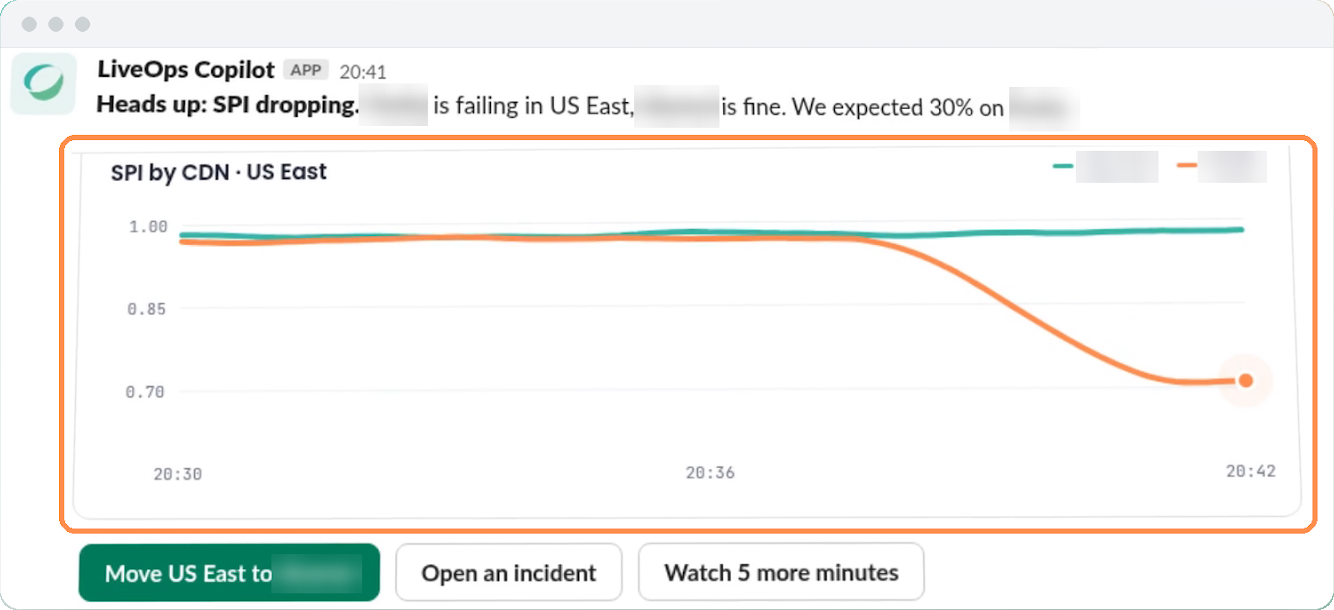
We also turned the diagnostic patterns into a library of troubleshooting guides, one per alarm, written in plain language from real incidents. Each incident becomes a guide for the next one, and the knowledge stays with the team as people rotate.
Detect, diagnose, explain, and answer in plain language
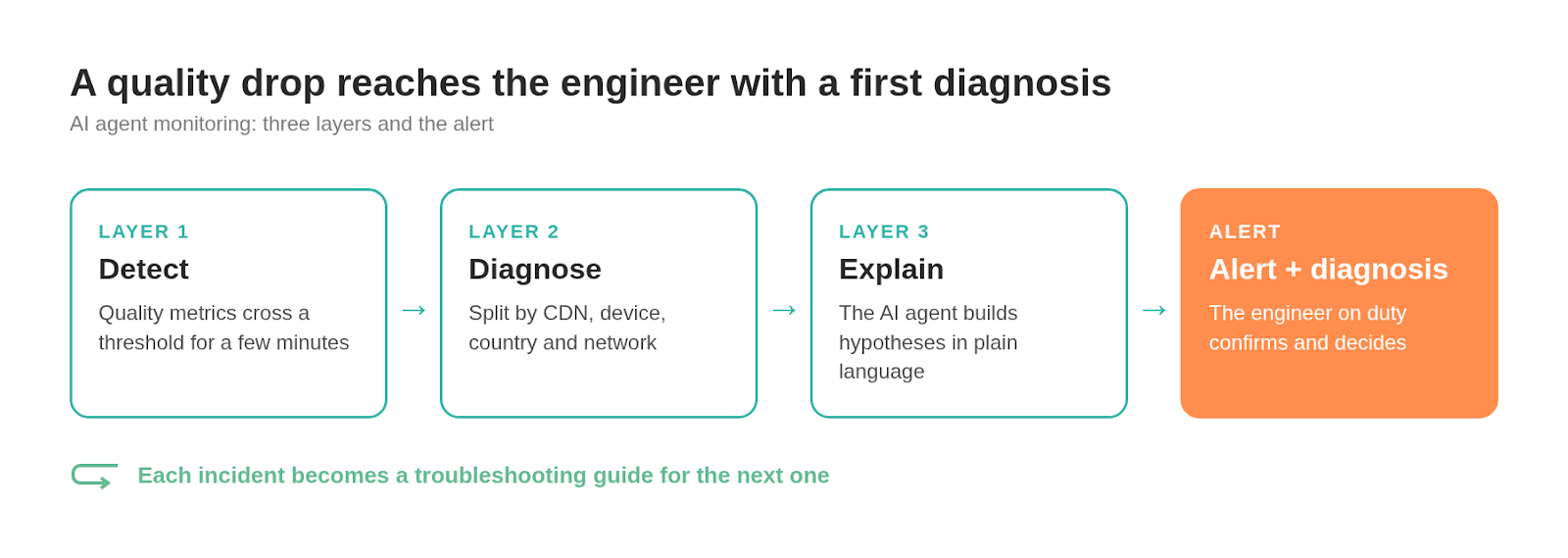
The monitoring works in three layers. The first detects: it compares quality metrics such as the performance index, rebuffering and video start failures against thresholds that have to hold for a few minutes. The second diagnoses: it splits the failing metric by CDN, device, country and network, and checks whether one slice behaves much worse than the rest. When the known patterns run out, the third layer, the AI agent, builds hypotheses and explains them in plain language.
The agent also answers questions. The operator writes in plain language, the agent generates the queries it needs to answer that question at that moment, and it builds charts in real time from the results. That lowers the operator’s cognitive load during a live event.
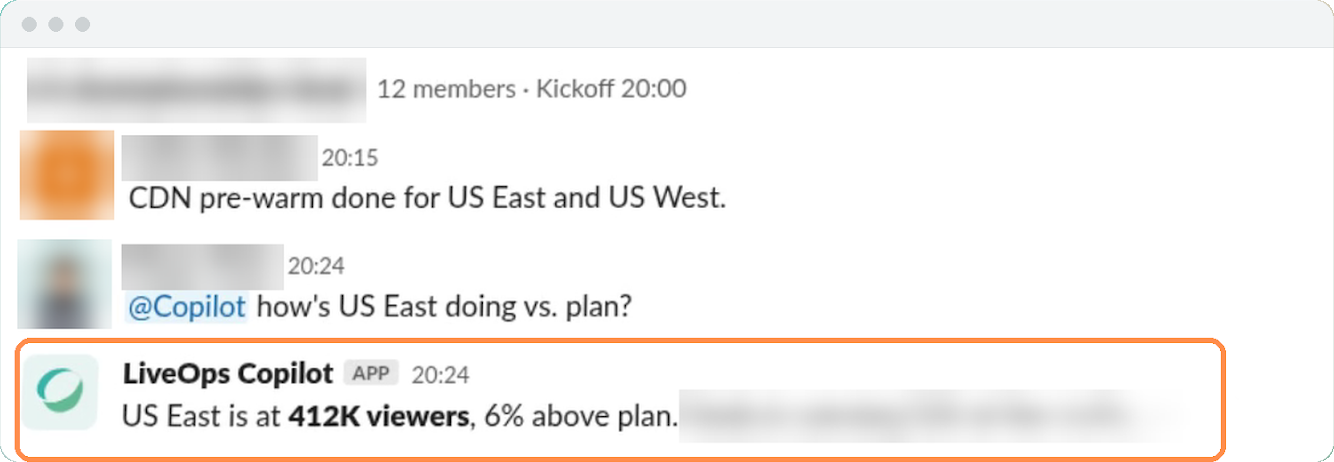
Operators ask questions like these:
- “The quality score for this match dropped to 40, then recovered. What happened in between?”
- “This critical start-failure alert just fired. Is it real, and should we escalate it?”
- “Send me a chart of how last night’s event went: audience per stream, with quality and start failures.”
- “Show me the events being monitored now and the ones starting in the next few hours.”
- “Which conditions trigger an alert from CDN log data? Would a spike of 504s fire one?”
This is how we approach Live Media Engineering Operations at Qualabs: engineers who work inside live operations and build the tools that help them scale.
Four steps to bring an AI agent into live operations
- Give the agent the operation’s context: CDNs, configured load, expected viewers by region and system metrics.
- Connect the agent to the event calendar, so it knows when to watch and when to stop.
- Make a first diagnosis one question away for every alert, which is where the team gains time.
- Write a guide after every incident, so the agent and the team recognize the problem faster the next time.
Frequently asked questions
What context does an AI agent need to monitor live streaming?
An AI agent needs the context of the operation: which CDNs are in use and their configured load, how many viewers are expected and from which regions, the system metrics and the event calendar. With those pieces together, the agent connects data that operations usually keeps in separate tools and reaches a conclusion faster.
How is an AI agent different from traditional streaming alerts?
A traditional alert reports that a metric crossed a threshold. An AI agent explains why: it slices the drop by CDN, device, country and network, links it to recent changes, and answers follow-up questions in plain language, generating the queries and charts it needs on the spot.
How can an AI agent reduce false positives during live events?
By recognizing patterns the team already knows. A common one is end-of-event noise: when a live event ends, viewers reload their players and quality metrics drop. The agent identifies that pattern, explains it with the data, and the team moves on to the next event instead of opening an investigation.
How fast does an AI agent deliver a first diagnosis?
In the live operation we support, the agent delivers a first diagnosis about a minute after the team asks about an alert. The engineer on duty then confirms the cause and decides the next step.
Is it safe to rely on an AI agent during a live event?
Yes, when people stay in charge. The agent proposes a diagnosis and shows the evidence behind it, and the engineer on duty confirms and decides. Every incident also becomes a troubleshooting guide, so the team and the agent recognize the same problem faster the next time.