The risk behind a calm dashboard
Most conversations about monitoring focus on noise: too many alerts, irrelevant alerts, teams that stop paying attention. That problem deserves the attention it gets, and better alert quality helps.
A quieter risk sits on the other side. A rule appears on the dashboard, the team trusts it, and when quality drops, it stays quiet. The same happens with live events that depend on someone adding them by hand: the process works until the week with the most events, when one slips through.
Both risks share the property that makes them expensive. A noisy alert takes time from the team. A silent alert leaves the audience unprotected, and viewers become the first to notice.
Where silent alerts come from
Monitoring configuration is code, and it deserves the same care as code. Rules, thresholds and diagnostic patterns live in files that several people edit over months. A metric gets renamed or removed, a stream gets retired, the documentation falls behind. Each change makes sense on its own. The risk builds up in the sum of small edits with zero checks across them.
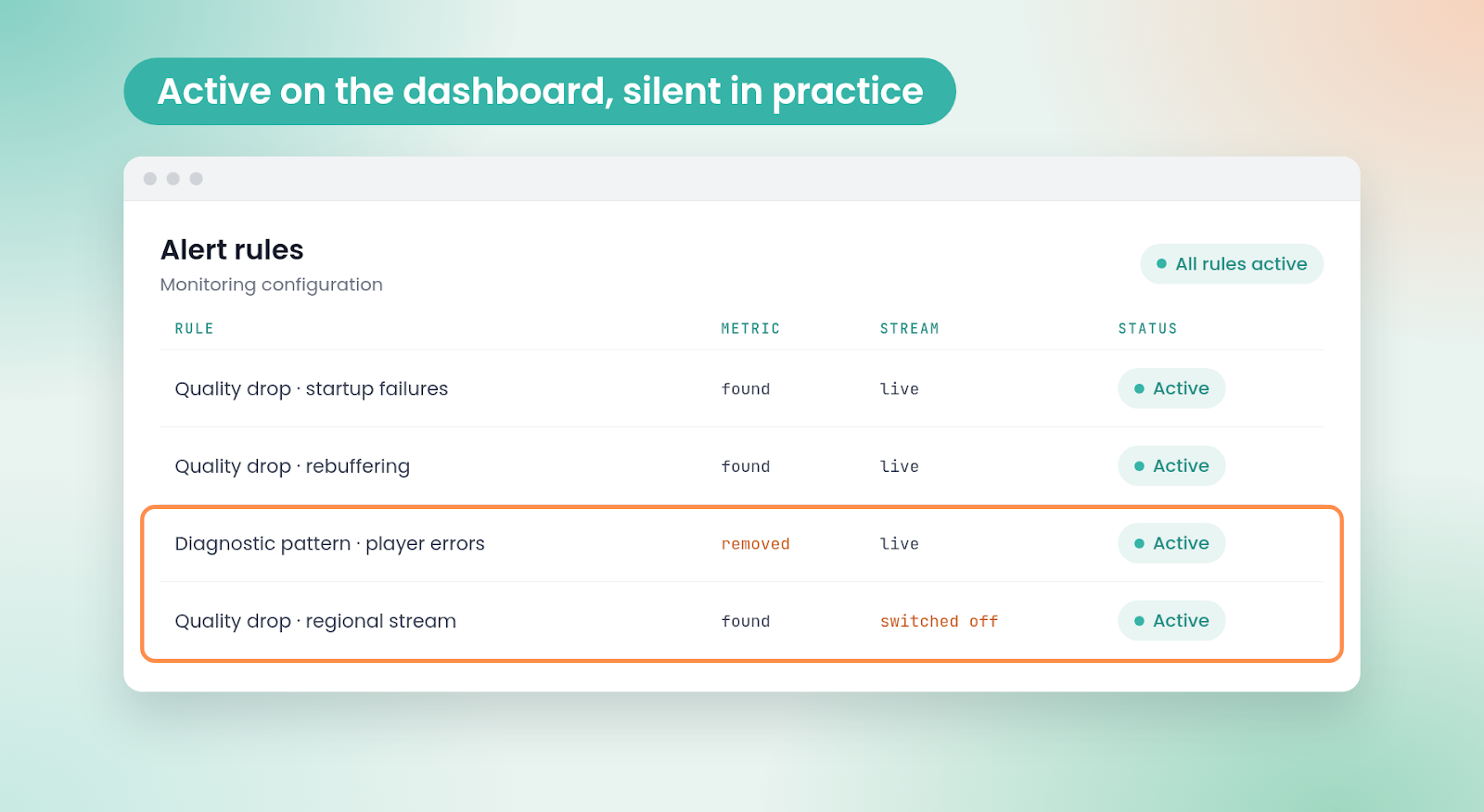
The failure is quiet by design. A rule that points at a metric the system dropped gets skipped. A rule scoped to a retired stream watches an empty feed. Both fail silently, so the dashboard keeps looking healthy.
What a full configuration review revealed
Our team at Qualabs works with the live operations of a large US streamer, where we run a layered quality monitor. The first layer detects a drop in quality, the second diagnoses it against known patterns, and an AI agent explains the cases outside those patterns. Each layer protects the audience only when its configuration is right, so before expanding the monitoring we reviewed all of it.
An AI agent read the full configuration first, and our engineers then checked every finding line by line. The three diagnostic patterns in place could never fire, because all of them depended on a metric removed in an earlier version. One alert rule could not be evaluated, because it used a metric that was never defined. Two rules pointed at a stream that was no longer broadcasting. In practice, the diagnosis layer could stay silent.
A validator that checks every change before it ships
Fixing the configuration once solved the problem in front of us. Keeping it right required a safety net. We chose a deterministic script over an AI check because a validator has to give the same answer every time. The AI agent is excellent at finding inconsistencies during a review; the script makes sure they stay fixed.
We put the validator in place after the review. On every pull request, it confirms that each metric, stream and rule the configuration references exists, that each diagnostic pattern has the data it needs, and that the documentation matches the rules in place. A change that fails is blocked before it reaches production.
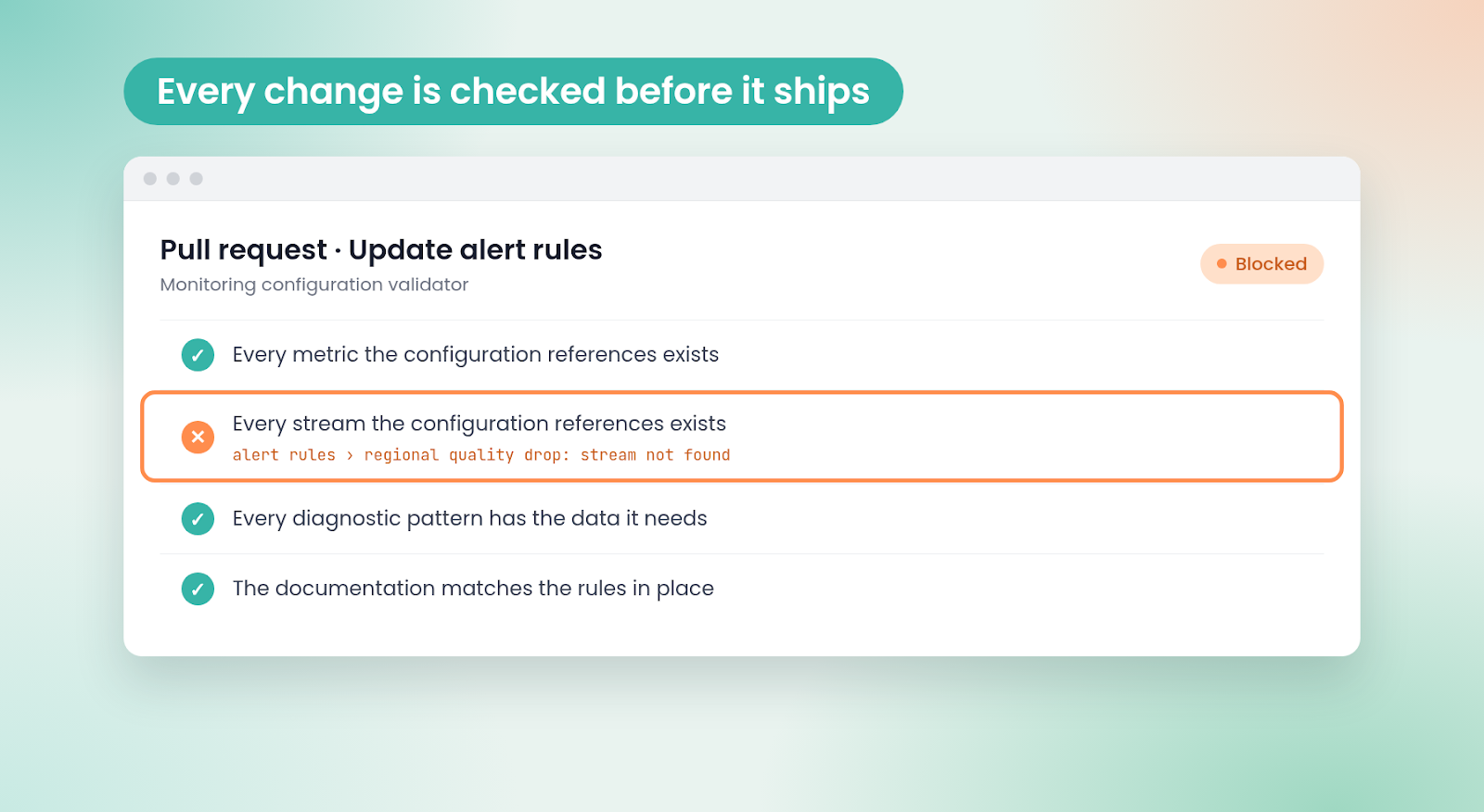
With that safety net in place, we rebuilt the diagnosis layer from three patterns to 25. Every alert that calls for a diagnosis now has a pattern ready to answer it.
Letting the programming calendar decide what to watch
The second risk was about people and time. Each live event had to be added by hand, switched on before it started and switched off after it ended. One missed step meant an event with zero monitoring, and the busiest weeks carried the most risk.
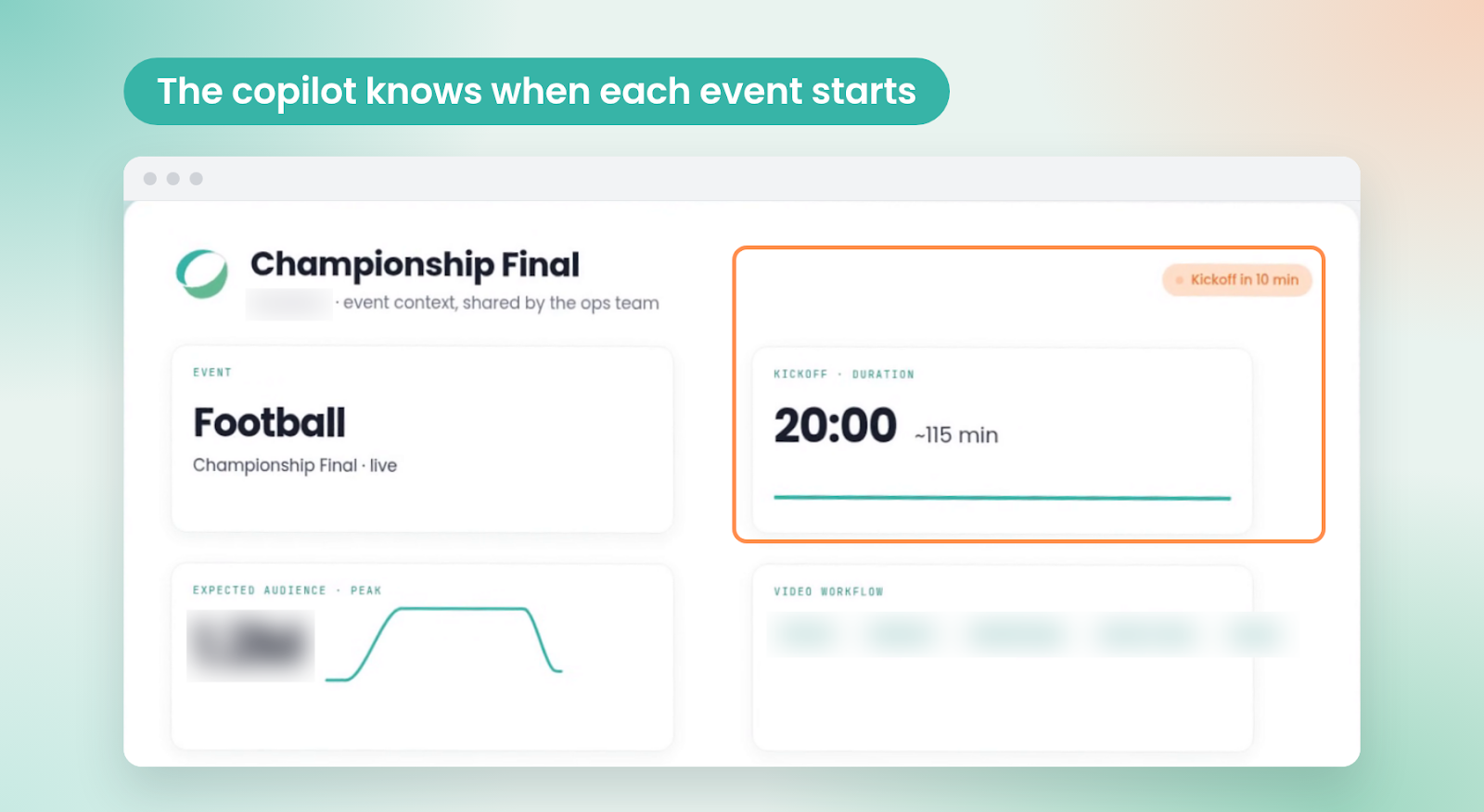
We built a scheduler that reads live events from the programming calendar the business already maintains. It selects the events with the highest projected audience, starts monitoring shortly before each one begins and closes it shortly after it ends, so open alerts have time to recover and close. If the calendar is unreachable, the scheduler works from its last good copy. When plans change, the team updates the calendar and the monitoring follows.
According to the operations team, the first weekend with automatic scheduling ran smoothly. The same calendar logic now lives in the AI copilot we built for the team, which uses it to decide when to watch each event.
What changed for the operations team
| Area | Before | After |
|---|---|---|
| Alert configuration | Errors stayed hidden until someone reviewed the files | Every change checked automatically before it ships |
| Diagnostic coverage | 3 patterns covering part of the alerts | 25 patterns, one family per symptom |
| Adding a live event | Manual, event by event | Automatic, from the programming calendar |
| Events left unwatched | An event with a missed manual step had zero monitoring | Every event above the audience threshold |
The validator follows every reference, the scheduler follows the calendar
The validator loads the full configuration, from the metric catalog to the rules and patterns, follows every reference and points to the exact file and entry behind each problem. A broken rule surfaces during review, well before game night.
The scheduler checks the calendar at regular intervals, applies the audience threshold and updates only the streams it manages, leaving streams added by hand as they are. Every change is logged, and a dry run shows each action before it happens.
This is how we approach Live Media Engineering Operations at Qualabs: engineers who work inside live operations and build the tools that help them scale.
Four practices for reliable live monitoring
- Test the monitoring itself. A rule that fails to fire looks exactly like a quiet night.
- Use AI to find problems and scripts to keep them fixed. A review benefits from judgment; enforcement needs the same answer every time.
- Let the business calendar drive operations. The calendar already knows which events matter most.
- Leave margin around each event. Start before the audience arrives and close after open alerts recover.
Frequently asked questions
What is a silent alert in streaming monitoring?
A silent alert is a monitoring rule that looks configured and active but stays quiet when quality drops. It usually happens when a rule points at a metric that was renamed or removed, or at a stream that stopped broadcasting. The dashboard looks calm, and viewers are the first to notice.
How can you check that your streaming alerts will actually fire?
Check every reference in the configuration: each metric, stream and rule an alert uses has to exist, and each diagnostic pattern needs the data it reads. In a review we ran for a large US streamer, this surfaced three diagnostic patterns unable to fire and two rules pointed at a stream that was switched off.
What is the difference between alert fatigue and silent alerts?
Alert fatigue comes from too many alerts, until teams learn to tune them out. Silent alerts are the opposite: rules that stay quiet when they should fire. Alert fatigue costs the team time; a silent alert costs audience, because the incident goes unwatched while the dashboard looks healthy.
How do you make sure every live event is monitored?
Let the programming calendar drive the monitoring. A scheduler reads the live events the business already plans, selects those with the highest projected audience, starts monitoring shortly before each one and stops shortly after open alerts recover. When plans change, the team updates the calendar and the monitoring follows.
How often should streaming monitoring configuration be checked?
On every change. A deterministic validator that runs on every pull request blocks any change that references a missing metric, stream or rule before it reaches production. A full review, with AI to find problems and engineers to confirm them, pays off before expanding the monitoring.